📺 Family Plex Guide
How to access and use our shared Plex library.
🚀 Quick Start
- Create a free account
- Send me your Plex email
- Accept the invite email
- Log in at https://app.plex.tv
- Click “More” and 📌 pin our libraries
Step 1 — Create a Free Plex Account
- Go to https://www.plex.tv
- Click Sign Up
- Create your free account using Google, Apple, or your email address
- Once created, you can choose some preferences. Make sure you choose to share your watch history with only friends. You can also turn off the weekly email recaps if you like.
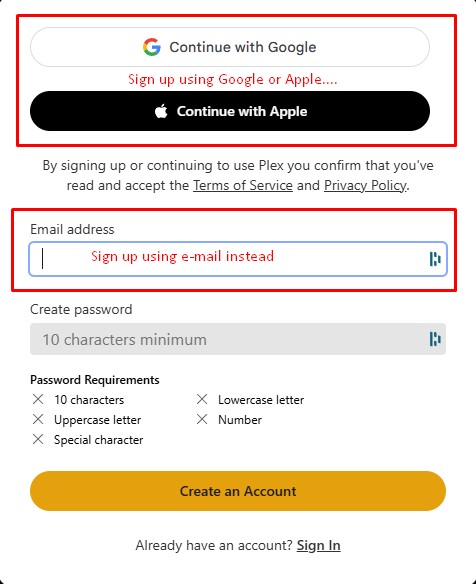
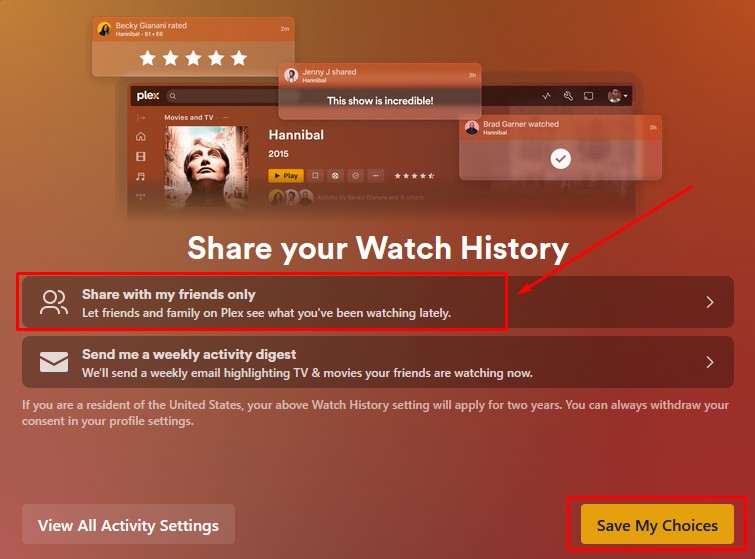
- Once you sign up for Plex, send me the email address you signed up with so i can send you an invite to share my library.
- Check your email and accept the invitation.
- Once you accept the invite, log in here: https://app.plex.tv
- Click the profile icon in the top right corner, then 'Account Settings'.
- Then click 'Manage Library Access' on the left side. You will see my request to give you access to my library. Click the check mark ✅ to accept.
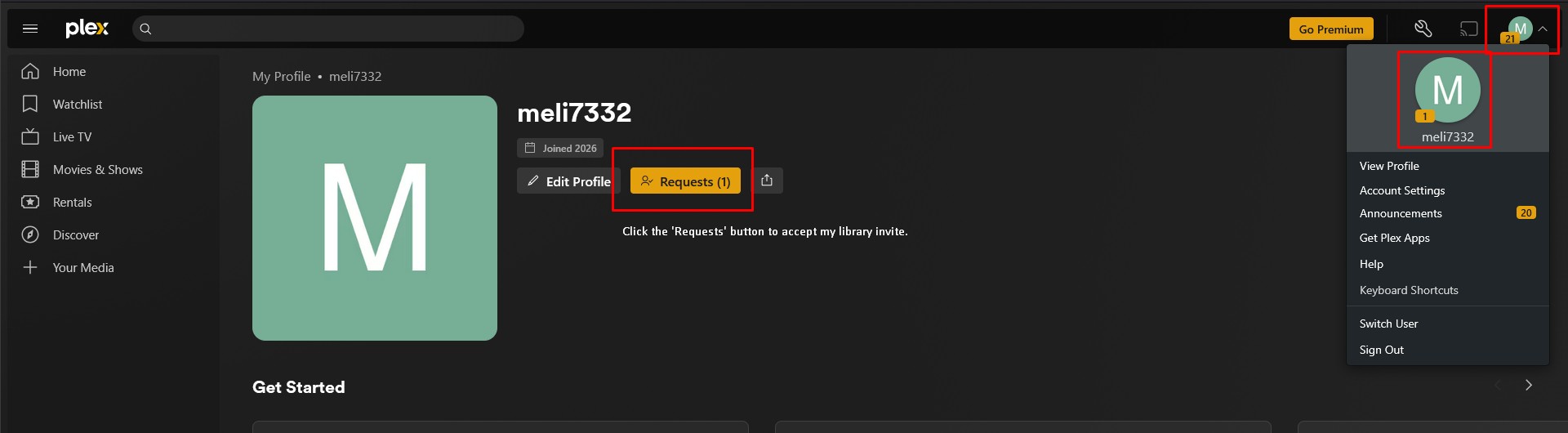
- Click the profile icon in the top right corner again, then click on the larger profile icon.
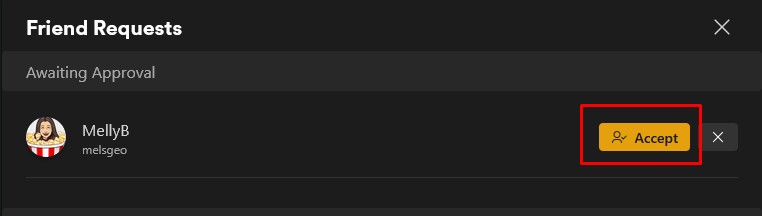
- You will see a 'Requests' button. Click that and Accept my friend request :)
Step 2 — Accept the Invite
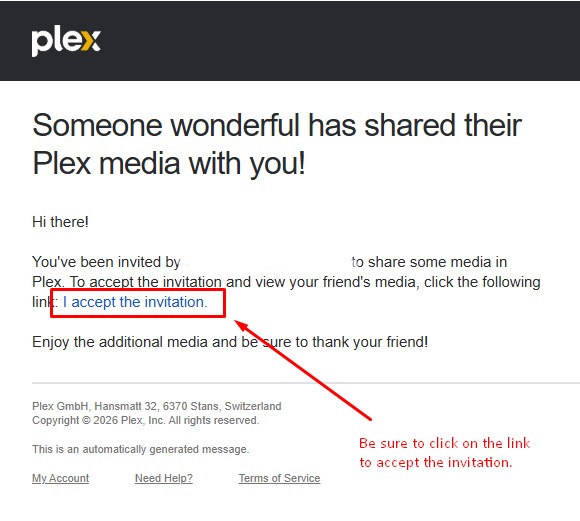
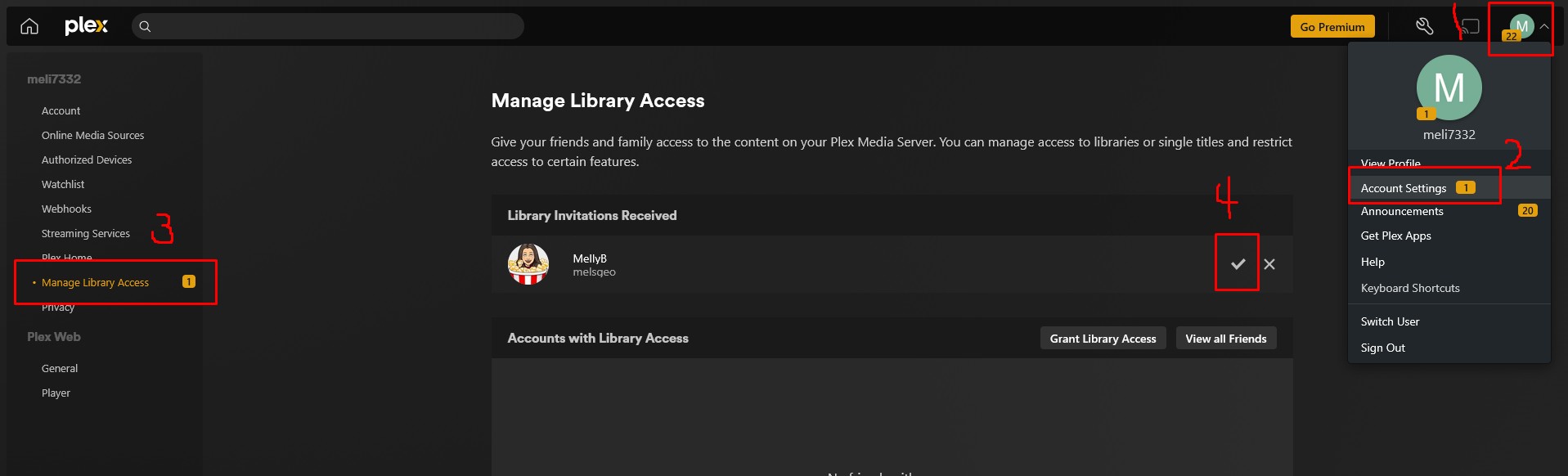
Step 3 — Pin Our Libraries
- Click the House icon in the top left corner to get back to the main screen. Refresh that page until you see the 'More' option in the left sidebar.
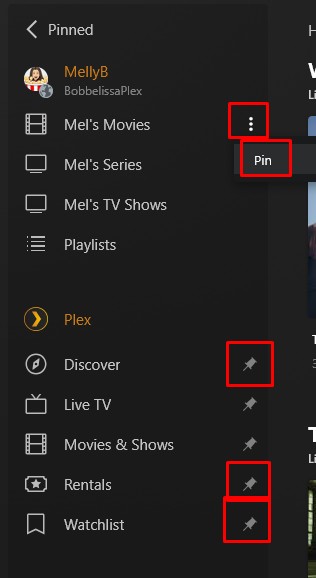
- Click 'More'in the sidebar
- Find MellyB BobbelissaPlex
- Hover next to each of my libraries and click on the 3 dots. Click 'Pin'. This will keep my libraries easily accesible going forward.
- At the same time, you can probably unpin 📌 items you dont want to see such as Watchlist or Rentals.
Step 4 — Enjoy
- Click on each library to explore the movie and show options available.
- If it defaults to 'Recommended' on top, choose 'Library' to see all options available.
- Click on a movie or show to begin watching and ENJOY!